Why Your Business Pin Disappeared and the 48-Hour Fix That Worked
Why Your Business Pin Disappeared and the 48-Hour Fix That Worked
The “Ghost Pin” Panic: When Your Map Visibility Vanishes
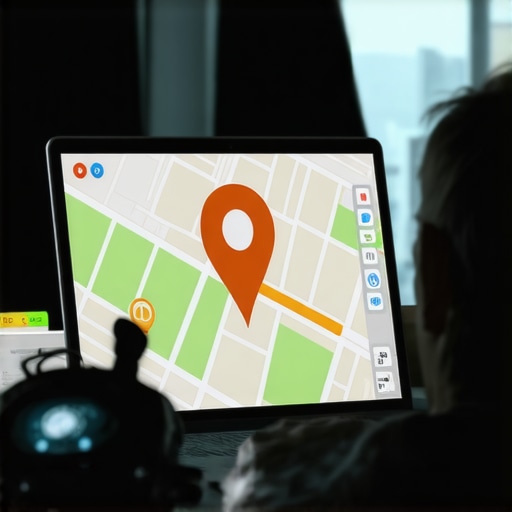
Imagine waking up, pouring your morning coffee, and performing a routine search for your business. For years, you’ve dominated the local landscape. But today, the map is empty. Your red pin – the digital lighthouse that guides customers to your front door – has vanished. You check your dashboard; it says “Verified.” You check your address; it’s correct. Yet, on the public-facing Google Maps interface, you are a ghost.
This “Ghost Pin” phenomenon is one of the most stressful experiences for any local service provider. Whether you are a plumber, a lawyer, or a roofer, your livelihood depends on google business profile seo. When that pin disappears, your lead flow doesn’t just slow down – it stops. Many business owners rush to Google Support, only to receive an automated reply promising a resolution within 48 hours. However, as documented extensively across Reddit and SEO forums, that 48-hour window often stretches into 10, 14, or even 30 days of silence while your competitors pick up your lost calls.
There is a critical difference between a “Soft Suspension,” where your profile is flagged for a policy violation, and a “Technical Glitch,” where the data simply fails to render on the map. If you are stuck in this limbo, you don’t need a generic support ticket; you need a technical intervention. This guide outlines the exact 48-hour fix used by elite local seo services to restore disappearing pins and stabilize google business profile ranking.
Why Your Pin Disappeared: The Technical “Why”
To fix the problem, you must understand the underlying cause. In the world of google business profile optimization, pins don’t just “go away” without a trigger. Based on recent algorithmic shifts and expert observations, three main culprits usually cause a disappearing pin.
1. Verification Loops and “Zombie” Profiles
Google’s systems are increasingly aggressive. We are seeing cases where businesses that have been verified for 15 or 20 years are suddenly hit with a “Re-verify” request. This often happens because of a minor change in the backend or a sweep of a specific industry. During this transition, your profile might remain “Verified” in your dashboard but lose its public pin. This creates a “Zombie Profile” – alive in the backend, dead on the maps.
2. Data Conflicts and “Map Pin Drift”
Sometimes, the issue is purely cartographic. Google Maps relies on a set of latitude and longitude coordinates. If there is a conflict between your address data and the underlying map layer, your pin can “drift.” We have seen pins move to the middle of intersections or nearby parks, causing the algorithm to hide the pin because it no longer matches the physical evidence of the business location. This is a common error that requires a specific google maps ranking service workflow to correct.
3. The 2026 Proximity Filters and Physical Evidence
As we move toward the technological landscape of 2026, Google is leaning heavily into “Physical Proximity Signals.” Using Bluetooth beacons and location history from millions of mobile devices, Google “vets” whether a business actually exists where it says it does. If the algorithm detects that no mobile devices (customers or owners) are spending time at the pinned location, it may filter the pin out of the results to prevent “ghost kitchen” or “lead gen” spam. This is why rank higher on google maps now requires more than just keywords; it requires physical validation.
If you find yourself in this situation, you may want to read My Profile Just Vanished: How to Fix a Suspended Google Business Listing for a deeper look at the suspension side of the coin.
The 48-Hour Fix That Actually Works: An Expert Workflow
When Google’s automated support fails you, you must take manual control. As a Google Business Profile Product Expert, Kevin Pauls has refined a workflow that bypasses the standard “wait and see” approach. Here is the step-by-step 48-hour fix.
Step 1: The Manual Map Edit (The “Backdoor” Method)
Do not use your Google Business Profile dashboard for this step. Instead, open a standard Google Maps window while logged into the account that owns the profile. Search for your business by name. If it doesn’t show up, search for the address. Use the “Suggest an edit” or “Edit the map” feature. Manually move the pin by just a few inches on the satellite view to a more precise location (e.g., directly over the front door). This manual edit often forces a refresh of the map index that the dashboard cannot trigger.
Step 2: The “Sync” Trigger
To get the algorithm to re-crawl your profile immediately, you need to change a “Minor Attribute.” Go into your GBP dashboard and find the “Attributes” section. Change something non-essential, such as “Identifies as women-owned” or “Wheelchair accessible seating.” Save the change. This small update acts as a “ping” to Google’s indexing bot, signaling that the profile is active and requires a fresh look. Many have found success with this method, as detailed in our case study: How We Fixed a Vanishing Map Pin Without Re-Verifying the Profile.
Step 3: Support Escalation via Product Experts
If the pin is still missing after 24 hours, skip the standard support email. Head to the Google Business Profile Help Community. Post a clear, concise summary of your issue. Mention that you have already waited for the automated 48-hour window. Volunteer Product Experts (like Kevin Pauls) have the ability to escalate legitimate technical glitches directly to the Google engineering team, bypassing the entry-level support bots that often give canned responses.
Step 4: The Comprehensive NAP Audit
While waiting for the sync, use a google business profile audit tool to check for Name, Address, and Phone (NAP) inconsistencies across the web. If your address on Yelp or your local Chamber of Commerce site is slightly different (e.g., “Suite 100” vs “#100”), Google may lose confidence in your location and pull the pin. Using google business profile seo tools can help you identify these hidden conflicts before they cause a permanent ranking drop.
Tools to Prevent Future “Ghosting”
Manual monitoring is not a scalable strategy for a busy business owner. To ensure your pin stays visible and your google maps lead generation remains consistent, you need a proactive tech stack. This is where local seo tools become your best friend.
We highly recommend utilizing google maps ranking service software such as SEO Viper Tools. These platforms provide a google maps rank tracker that monitors your pin’s visibility across a grid of coordinates. If your pin disappears in one neighborhood but remains in another, the software will alert you immediately, allowing you to fix the “Map Pin Drift” before it affects your overall bottom line.
Furthermore, using gmb seo tools allows you to track health metrics that the standard Google dashboard hides. You can see “Interaction Velocity” and “Data Confidence Scores.” If your confidence score drops, it’s a sign that Google is finding conflicting data elsewhere, giving you a chance to rectify it before the pin vanishes entirely. Investing in local seo software is no longer optional; it is a requirement for maintaining a local map pack seo advantage.
Ranking Higher After Recovery: Dominating the Map Pack
Once your pin is restored, the goal shifts from “survival” to “dominance.” Simply having a pin isn’t enough; you need to rank in google map pack to capture the 70% of clicks that go to the top three results. To improve google maps ranking, you must focus on modern interaction signals.
1. Real-Time Interaction Signals
Google’s 2026 proximity focus means they are looking for “Real-Time Store Pings.” When a customer looks at your profile and then their GPS shows them driving to your location, that is the strongest ranking signal available. Encourage customers to use the “Directions” button on your profile, even if they know where you are. This data tells Google that your pin is a high-value destination.
2. Photo Recency and Geo-Tagging
To increase google business profile visibility, you must upload high-resolution photos weekly. Google’s AI now scans photos to identify “Physical Evidence” of your business. If you are a contractor, upload photos of your branded trucks at job sites. These photos contain metadata that confirms your location and services, reinforcing your google business profile optimization efforts.
3. Mastering the 3-Pack
For those looking to truly scale, a Mastering Local Map Pack Service can provide the edge needed to beat out established competitors. This involves optimizing your “Service Areas” and ensuring your primary category is perfectly aligned with local search intent. You can learn more about identifying these opportunities by seeing What an Actual Google Maps Audit Reveals About Your Hidden Ranking Errors.
Conclusion: Take Control of Your Local Presence
A disappearing Google Maps pin is a digital emergency, but it doesn’t have to be a permanent catastrophe. By understanding the technical “why” and applying the 48-hour fix – Manual Map Edits, Attribute Syncing, and Expert Escalation – you can restore your visibility and protect your lead flow.
Don’t leave your google business ranking to chance. Whether you choose to perform a manual audit or hire a professional gmb ranking service, the key is consistency. Use local seo tools to monitor your health, stay active with your profile updates, and always prioritize the physical signals that Google’s algorithm craves. Your pin is the lifeblood of your local business – make sure it stays exactly where it belongs.